Preferences
DL-Light extensions are designed according to a general ergonomic
principle:
-
The main window allows to choose the key elements of the
calculation (model file, type of calculation, period, ...).
Organization of the information aims at reproducing observed
professional approaches. This window is intentionally kept
simple and shows only a minimal set of parameters.
-
The additional parameters are a priori common to a series of
calculations. They are defined in the preferences, and are
classified into categories: global parameters, specific to an
extension, ergonomics, ...
-
The default values of the parameters are consistent with
professional standards.
This organization facilitates the handling of the tool in simple or
recurring situations, while allowing fine adjustment of the
calculation parameters. (As an illustration, the DL-Light version
12.0 preferences file contains 532 entries.)
Preferences can be opened from toolbar
 or from menu
Extensions -> De Luminae -> [Extension name] ->
Preferences.
or from menu
Extensions -> De Luminae -> [Extension name] ->
Preferences.
Parameters are organized into groups:
To restore the default value of a parameter: click on the arrow to
the right of the value.
To restore the values of all the parameters of the current tab:
click on the "Defaults" button.
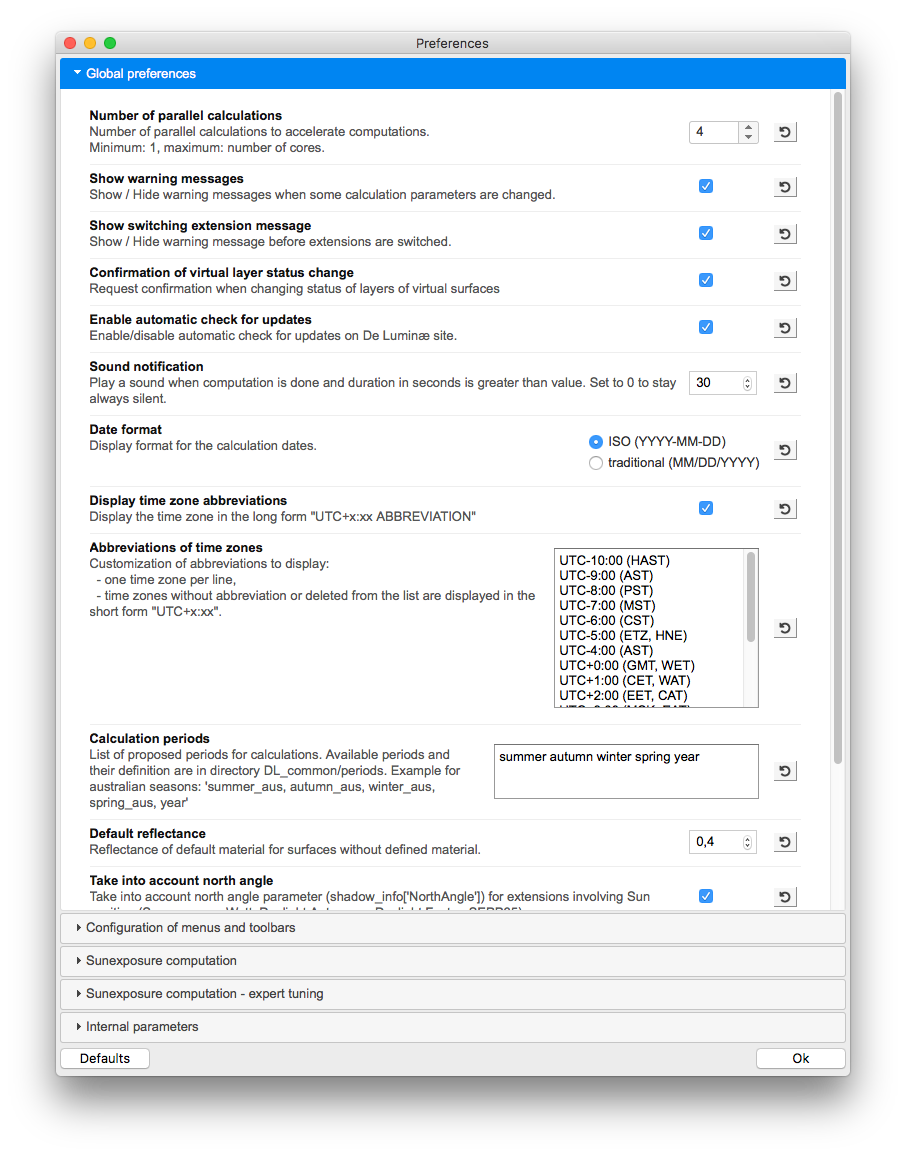
Global preferences
Global preferences are common to all extensions.
In the trial version of DL-Light some options are fixed at their
default value. For more details read
License information
.
-
Number of parallel calculations
- Maximum number of processes in parallel on the computer. The
maximum is the number of CPU cores.
-
Show warning messages
- Switch on/off warning messages.
-
Show switching extension message
- Switch on/off warning messages before changing extensions.
-
Confirmation of virtual layer status change
- Switch on/off the confirmation message when changing status of
layers of virtual surfaces.
-
Enable automatic check for updates
- Enable DL-Light to automatically check on De Luminæ site
if new version is available. If new version is available user is
informed, but not forced to download and install it.
-
Sound notification
- Play a sound when computation is done and duration in seconds
is greater than "value". Set to 0 to stay always silent.
-
Date format
- Select the display format for dates.
-
Display time zone abbreviations
- Select the display format for time zone.
-
Abbreviations of time zones
- Customize the abbreviations of time zones.
-
Calculation periods
- Customize calculation periods (seasons dates). DL-Light allows
you to set the definitions of the seasons and their display in
the menus.
-
Default reflectance
- Reflectance of default material for surfaces without defined
material.
-
Take into account north angle
- Take into account north angle parameter
(shadow_info['NorthAngle']) for extensions involving Sun
position (Sunexposure, Watt, Daylight Autonomy, Daylight Factor,
SEPP65, ...).
-
Cache directory
- Folder used for temporary computations and cache.
-
"Show only false colors", transparency level
- Opacity of surfaces without result, from 0.0 (transparent) to
1.0 (opaque).
-
"Show only false colors", remove shadows
- Do not display shadows on surfaces when "Show only false
colors" is set.
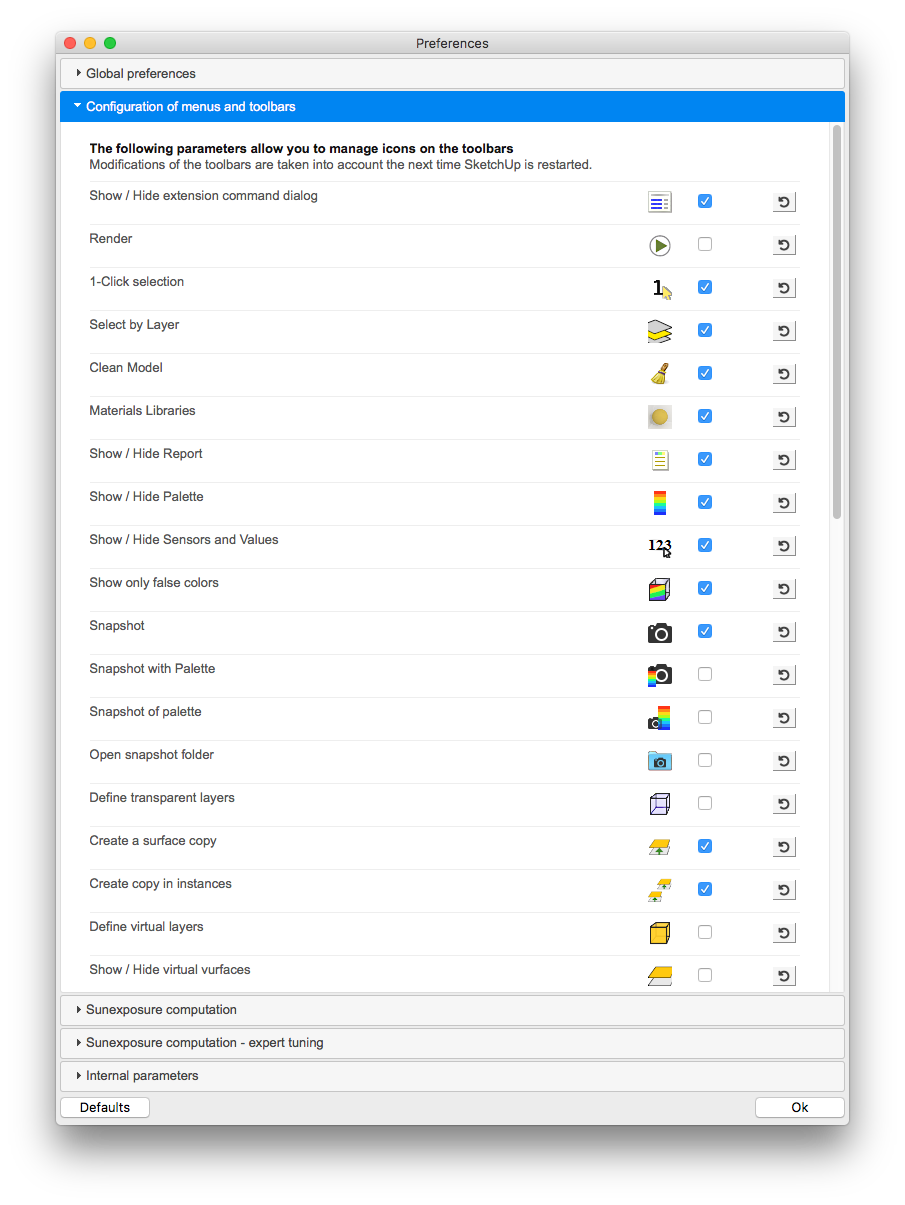
Configuration of menus and toolbars
This tab allows you to select the icons to display on the toolbars
and the extensions to list in the DL-Light menu.
The configuration of icons is common to all extensions.
To take the modifications into account, restart SketchUp.
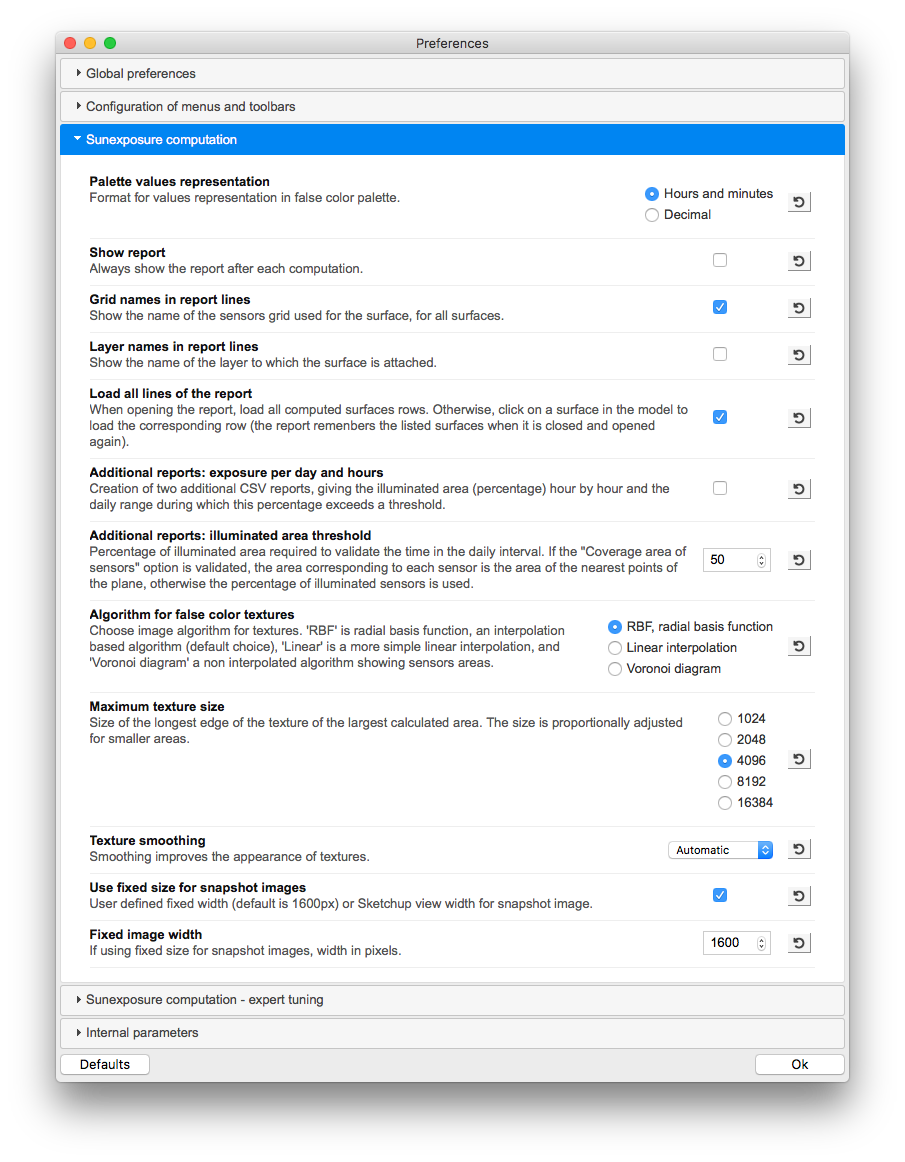
Calculation preferences
This tab contains the main settings for the active extension:
-
Radiance settings for relevant extensions (Daylight factor,
Autonomy, Watt, ...).
-
Ergonomic parameters: automatic display of the report, content
of the report.
- Graphic parameters: algorithm for false color textures.
Some parameters are present on all the extensions:
-
Show report
- Automatic display of the report after calculation.
-
Grid names in report lines
- Show the name of the sensors grid used for the surface,
for all surfaces.
-
Layer names in report lines
- Display a "layer" column with for each surface the name of
the layer to which the surface is attached.
-
Load all at report opening
- When opening the report, load all computed surfaces rows.
Otherwise, click on a surface in the model to load the
corresponding row in the report.
-
Algorithm for false color textures
- Setting the generation of textures. The indicators are
calculated on a grid of sensors according to the
Level of details
, then these values are interpreted for visual
representation. Several algorithms are available, see page
Interpolation algorithms
-
Maximum texture size
- Adjust the maximum size of textures generated. Warning:
for size of 8192 or above, rendering time and memory usage
increase a lot.
-
Texture smoothing
- Adjust the smoothing level of the textures.
-
Size of snapshot images
- Use a fixed width or the width of the SketchUp view.
-
Use fixed size - Width of the fixed size image (1600
pixels by default)
-
Don't use fixed size - The size of the exported image
will correspond directly to the size of the model on the
screen.
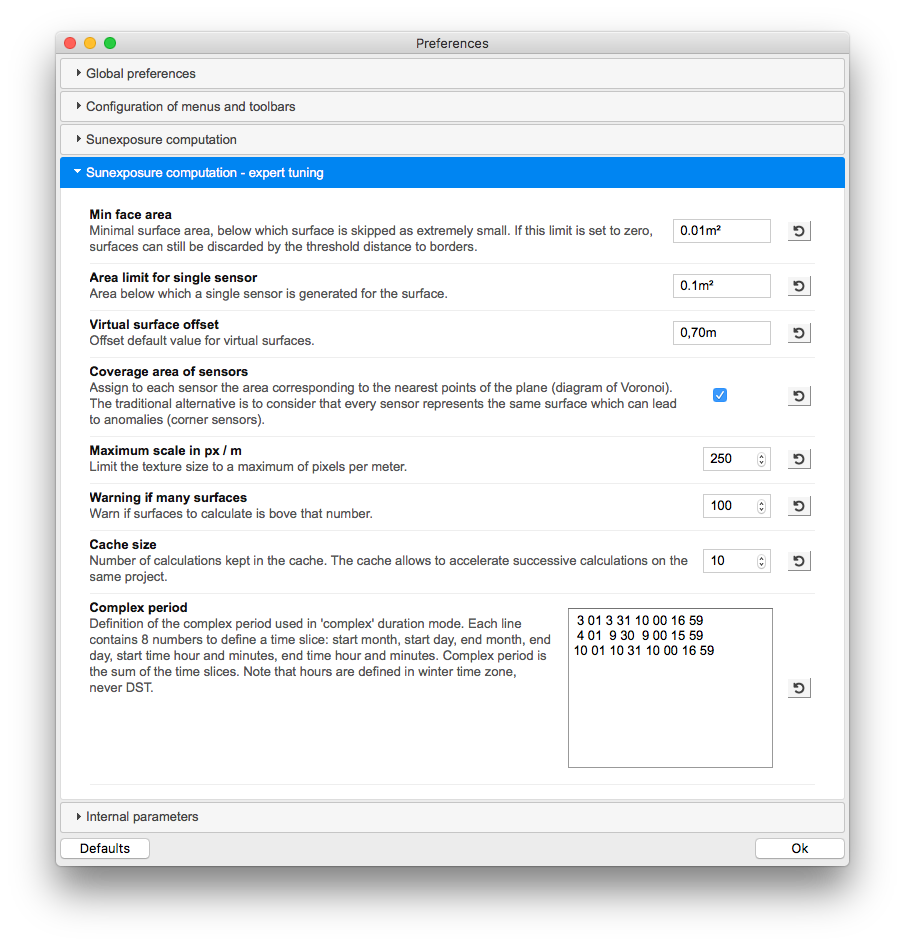
Advanced preferences
This tab contains settings that should be suitable for most
situations.
-
Min face area
- Minimal surface area below which surface calculation is
skipped as surface is considered extremely small. If this limit
is set to zero, surfaces can still be discarded by the threshold
distance to borders.
-
Area limit for single sensor
- Area below which a single sensor is generated for the surface.
-
Virtual surface offset
- Offset default value for virtual surfaces.
-
Coverage area of sensors
- Assign to each sensor the area corresponding to the nearest
points of the plane (Voronoi diagram). The traditional
alternative is to consider that every sensor represents the same
surface which can lead to anomalies (corner sensors). For most
standards such as BREEAM or EN 17037, it is recommended not to
use this option and to consider that all sensors are equivalent.
-
Maximum scale in px/m
- Texture resolution in pixels per meter. Actual textures
resolution is limited by both this setting and maximum textures
size. For a large model (town planning), use a low value, for
example 10 pixels / meter.
-
Warning if many surfaces
- Warn if surfaces to calculate is above that "value".
-
Cache size
- Number of calculations kept in the cache. The cache allows to
accelerate successive calculations on the same project. Each
extension has its dedicated cache. To clear the cache, put this
value to zero and start a calculation.
-
Complex period
- Definition of the complex period used in 'complex' duration
mode. See
complex period configuration.
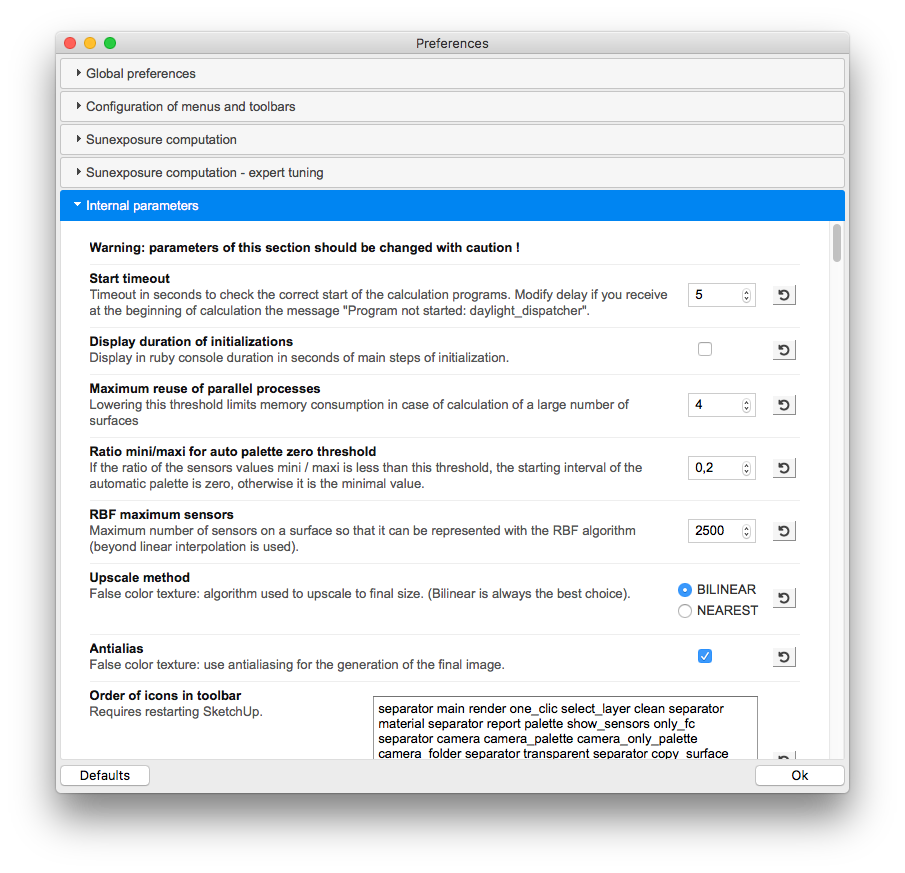
Internal parameters
This section provides access to internal software settings. These
parameters should not be changed without support.
More than a hundred parameters are present in this category. They
allow the software to be adapted to particular cases, but they are
likely to evolve with new versions.