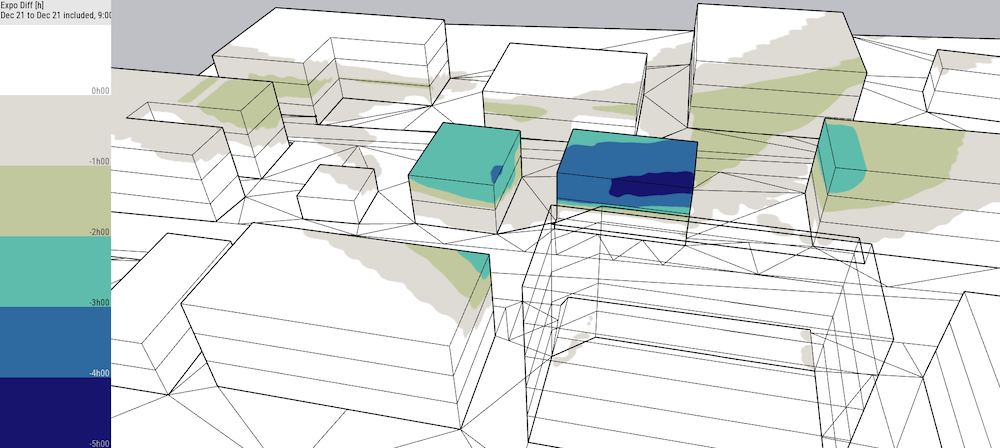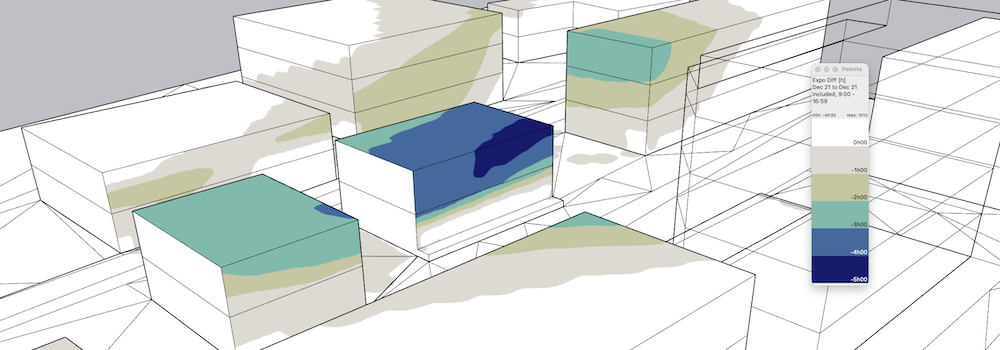
The Expo Diff extension calculates the difference in Sun exposure or Shadows on the surrounding buildings or open surfaces. For example, if one (or several) floor is added to an existing building, it will show the impact in Sun Exposure for the surrounding facades, windows or gardens.
It will calculate "how much sun" is lost, "how much sahdows" are added.
It also can handle if a building is removed and/or replaced by a new one.
It simply answers the question: How does the project impacts the neighbors regarding the sun?
The extension makes two SunExposure like computations in a row, the first one with old buildings, the second one with the new buildings. The extension displays the difference (in hours) between the two calculations.
The computation of the difference of exposure before/after allows the evaluation on surroundings after a building change.
Open SketchUp model. Follow recommendations to prepare your model for DL-Light calculations.
Open Expo Diff dialog from toolbar
 or menu
Extensions -> De Luminae -> Expo Diff ->
Activate extension
and enter calculation parameters.
or menu
Extensions -> De Luminae -> Expo Diff ->
Activate extension
and enter calculation parameters.
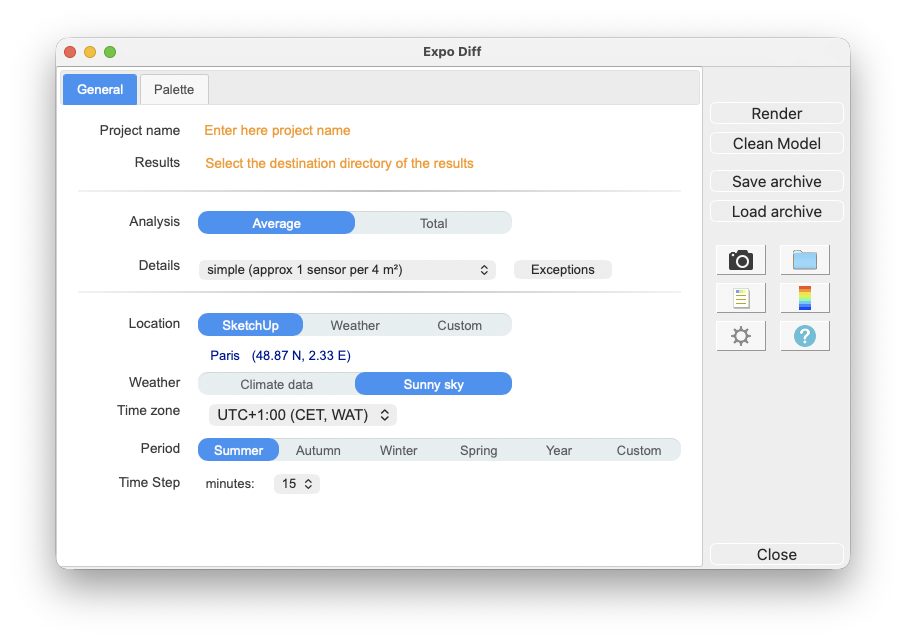
Fields description:
Project name - Project name is used during export and for output filenames generation. The SketchUp model name is used by default.
Results
- Directory where model is exported for calculation.
It should be an existing or a new directory where
user has appropriate write/read privileges. When
calculation is started model geometry and resulting
files will be saved in
expo_diff_output
subdirectory.
For SketchUp projects stored on network disk
(Windows), see
Work on a copy of the model
.
Analysis - Results represented by false color textures can have different meaning depending on selected value:
Details - Model surfaces may require different density of sensors. Level of details definition is directly connected to number of sensors or their density on surfaces. Big unobstructed surfaces may need lower level of details with few sensors only, while smaller surfaces or surfaces with complex obstructions may require very high level of details. Level of details determines number of sensors for calculation, and has a major influence on calculation time and results accuracy.
DL-Light allows to choose:
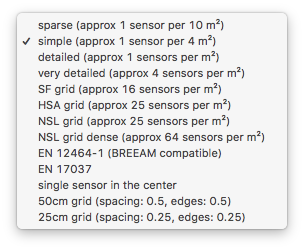
See sensors selection for more information on the choices of proposed sensors.
Location - Building location coordinates. This info is used in combination with weather data to generate correct sky distribution. Location can be based on SketchUp model location, current Weather file location or be Custom. Below is dialog for Custom location definition.
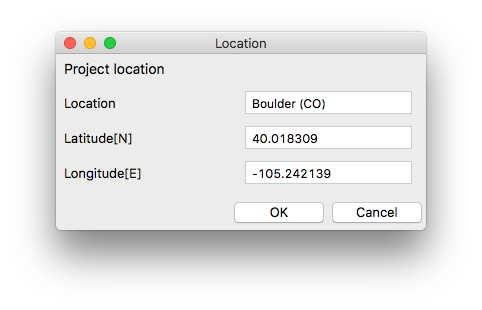
The chosen weather file defines the time zone used for dates and times of calculations. For clear sky mode, the time zone can be defined below.
Note: For the calculation of Expo Diff, the recommanded choice is "Sunny sky".
Time zone - Display of the time zone used for the calculations.
The time zone is defined by the selected climate
data file. For clear sky mode, a list allows you to
choose the time zone. In clear sky mode, if the
"SketchUp location" is chosen, the time zone set in
SketchUp is used. However, if a weather file is
already chosen and its time zone is different, a
warning is displayed.
Note: when a model is located in SketchUp, SketchUp
proposes a time zone based on the longitude of the
place. This value is sometimes wrong, especially for
European or Asian countries, hence we recommend to
always use a weather file.
Period - The analysis period, defined by a season, the entire year, or two specific starting and ending dates:
Default seasons are defined for northern hemisphere. Advanced parameters allow to use different definition of seasons. Read details .
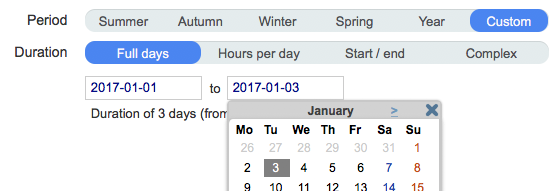
Full days - occupancy range from 0h00 to 23h59 on the day range (end date included). Click on the input box and choose the date in the calendar, or enter it directly.
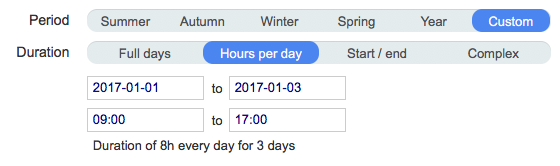
Hours per day - occupancy range in hours on the range of days (end date included).
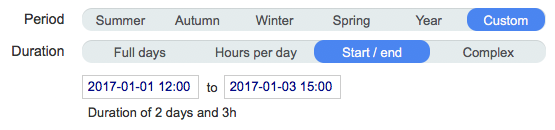
Start / end - interval between start date and end date.
Complex - use a complex definition of period. See complex period configuration.

In trial version of the extension only 'summer' and 'winter' periods are supported. For more details read License information .
Time step - In clear sky mode only, time step in minutes for the simulation.
(If a weather file is used, the time step is set to 60 minutes.)
Note: For the Expo Diff calculation using "Sunny sky" option, it is recommanded to use a low step value (5 or 10 minutes).
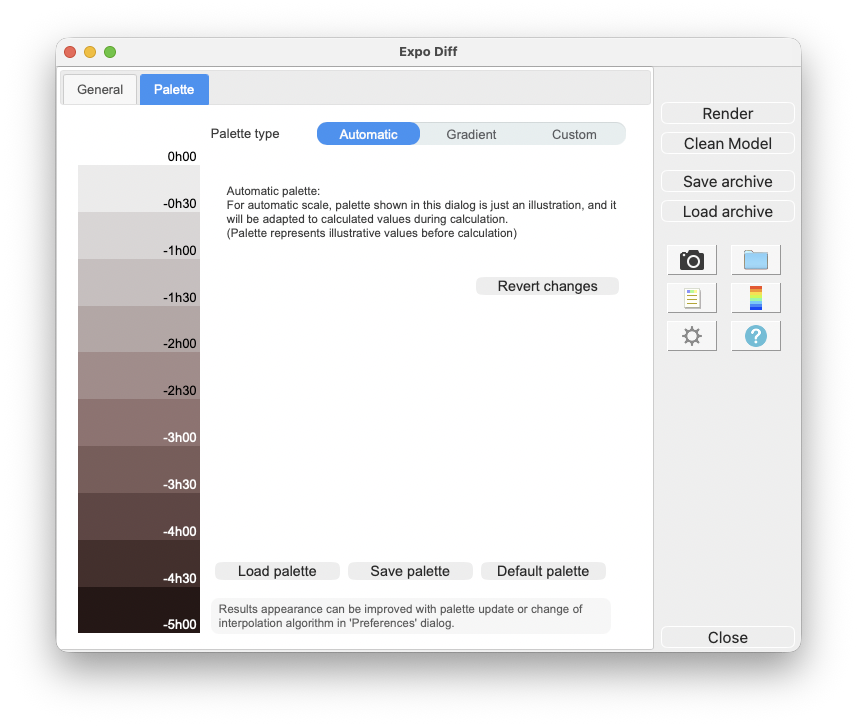
Palette of false colours can be defined with precision. 3 options for palette are given, Automatic, Gradient and Custom:
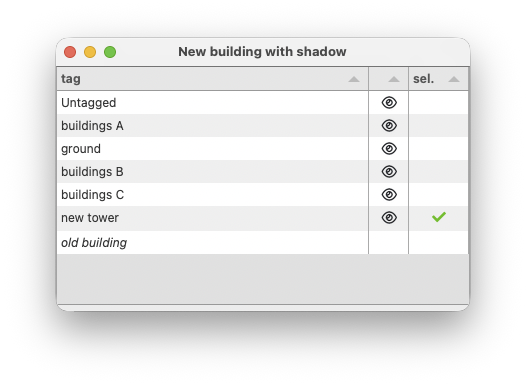
Select the tags of new buildings, using the toolbar icon
 or with the menu
Extensions -> De Luminae -> Expo Diff -> New
buildings with shadow
or with the menu
Extensions -> De Luminae -> Expo Diff -> New
buildings with shadow
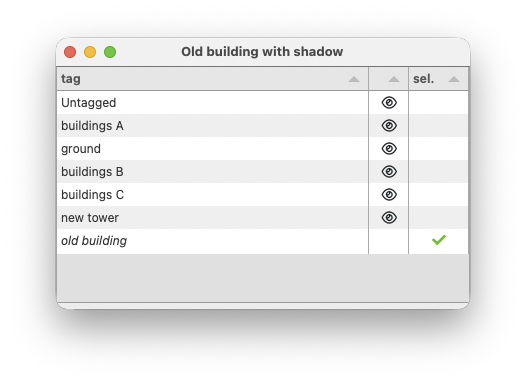
Select the tags of the old buildings (replaced by the new
ones), using the toolbar icon
 or with the menu
Extensions -> De Luminae -> Expo Diff -> Old
buildings with shadow
or with the menu
Extensions -> De Luminae -> Expo Diff -> Old
buildings with shadow
After entering the parameters, select surfaces and press
Render
or
 button.
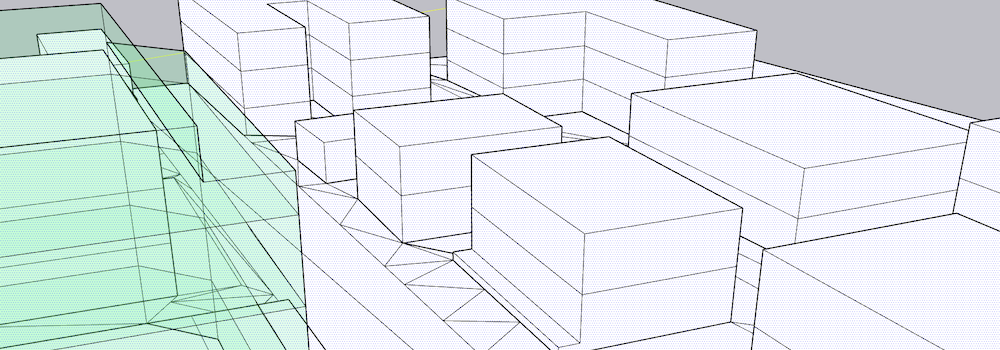
Calculation time depends on the number of selected surfaces, the level of sensors details and model complexity.
When results are imported, selected surface will have appropriate false colors and Palette and Report dalogs will be opened.
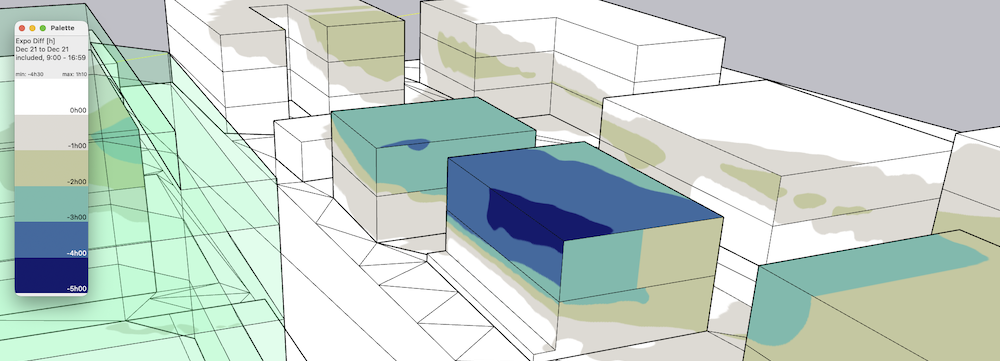
Results analysis.
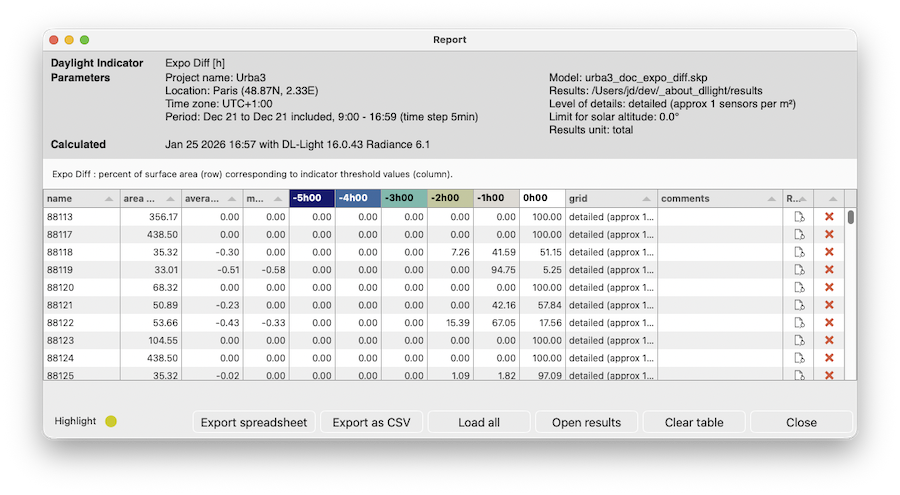
The
Report dialog
 displays the distribution of results over current
palette and calculation input parameters.
displays the distribution of results over current
palette and calculation input parameters.
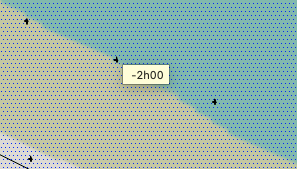
Show/Hide Sensors and Values
 explores results directly in the model for each
sensor.
explores results directly in the model for each
sensor.
For further calculations on the same model:
.
DL-Light uses a calculation cache algorithm. It automatically detects if a surface requires recalculation or if a previous result can be reused. By default, the cache keeps the information of the last 10 calculations (value configurable in the preferences).
For example if a calculation has just been made for the "summer" season, then the season is changed to "winter" for a recalculation, and finally recalculated for "summer":
Archiving results:
DL-Light allows to archive all the results of a calculation: reports, textures and calculation steps (exported Radiance model, weather file, ...). This archive can be reloaded on the model, subject to using exactly the same model as during the calculation.
See the page Archiving results for more informations about this feature.
See the page Comparison of results for more informations about comparison of archives.
Snapshots:
Current SketchUp model view with imported results can be
exported with palette
 or without palette
 to png format. Open the folder of images with
 .
.
This option is not supported in trial version of the
extension (see
license information
).